Faida features
Sales, stock, and the rest of the day.
Browse what Faida does, from checkout and invoicing to purchasing and reports. Each page explains the feature in more detail.
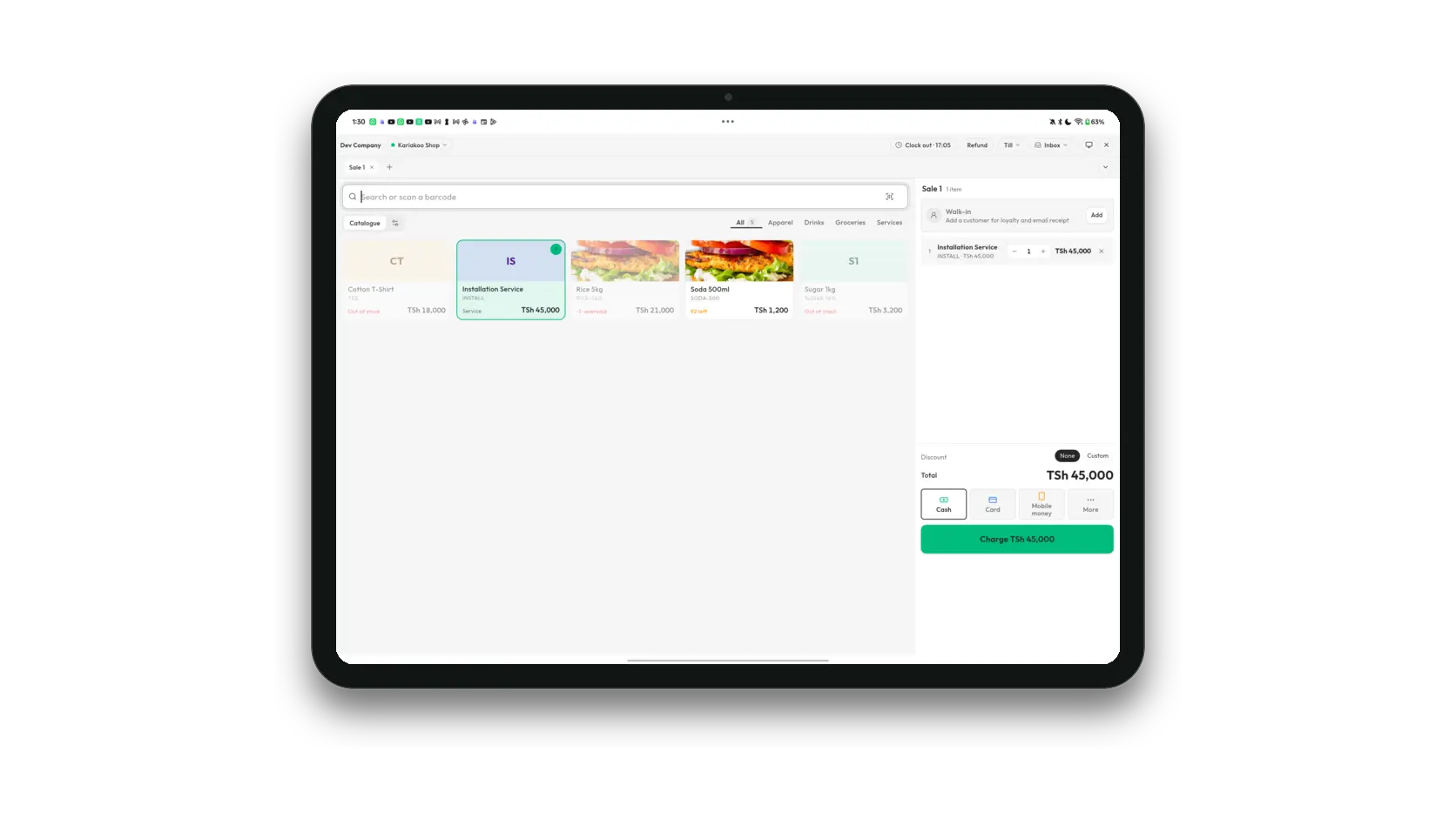
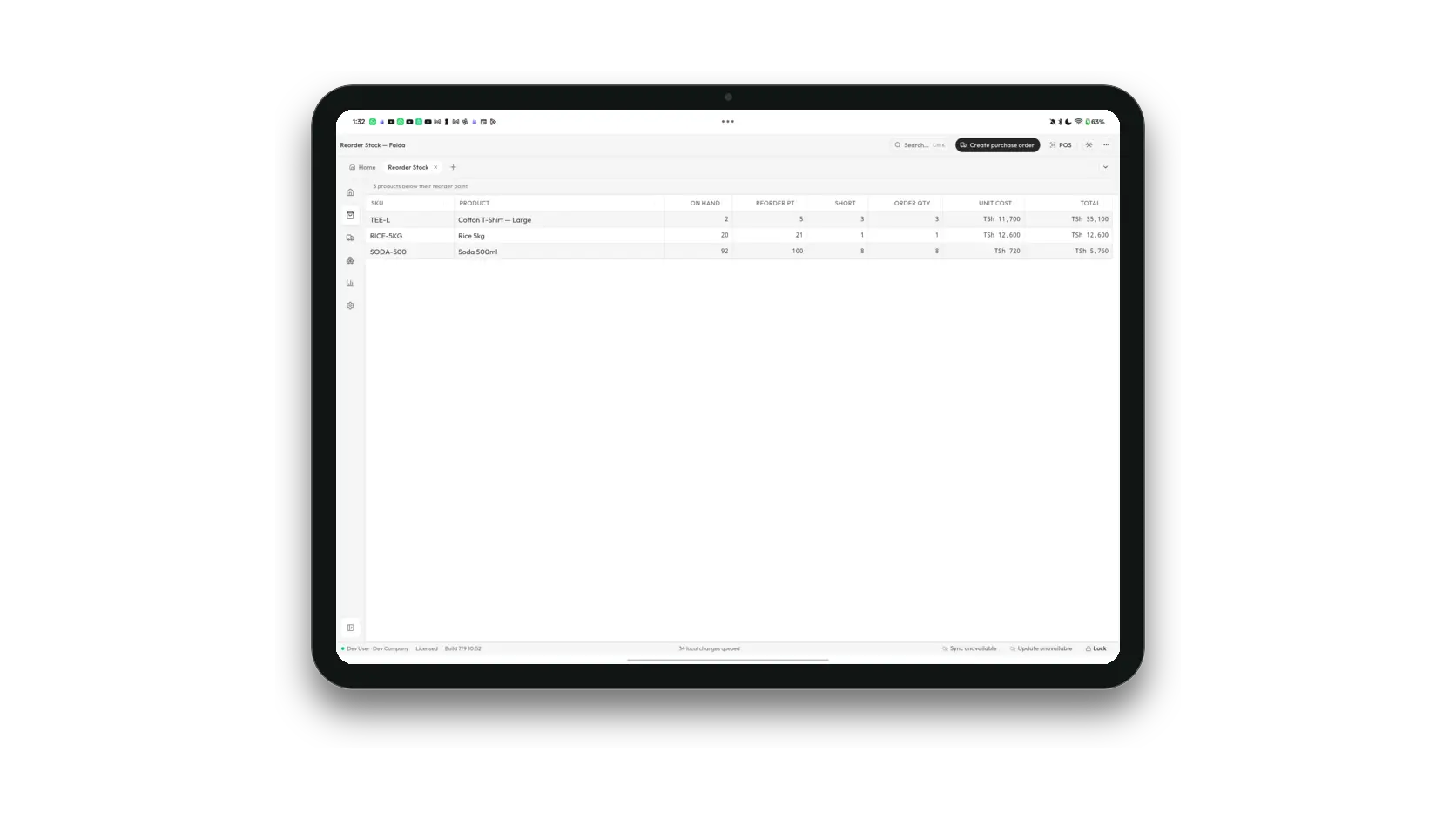
In the app
What do you need to do?
From the first product scan to a settled customer balance.
Point of sale
Ring up walk-in sales quickly with barcode or keyboard entry, flexible tenders, discounts, tax, receipts, and shift controls.
- Barcode and keyboard-friendly product entry
- Cash, card, and mobile money tenders
Restaurant service
Turn on Restaurant mode and the same app runs a dining room — a floor plan, orders sent to the kitchen, reservations, and a bill that settles at the till.
- A floor plan with live table status and guest counts
- Orders sent to the kitchen from the till or the bill
Sales and invoicing
Keep quotes, sales orders, invoices, returns, payments, and customer balances connected from the first promise to final settlement.
- Quotes, orders, invoices, returns, and payments
- Paid, partial, overdue, void, and returned states
Online ordering
Publish your catalogue at a public web address, take takeaway and delivery orders from a phone, and work them in the same app you sell from.
- A public page at your own shop address
- Takeaway or delivery, with the details a rider needs
Customers and payments
Store customer details, price levels, sales history, invoices, payments, credits, statements, and balances in one place.
- Customer profiles and sales history
- Deposits, partial payments, credits, and statements
Know what moved, what is short, and what to buy next.
Inventory control
Track products, variants, barcodes, locations, stock movements, counts, transfers, adjustments, assemblies, and reorder points.
- Products, SKUs, barcodes, categories, and price levels
- Counts, transfers, adjustments, and assemblies
Purchasing and suppliers
Plan purchase orders, receive deliveries, record supplier returns and payments, and understand what the business owes.
- Purchase orders, receiving, and supplier returns
- Supplier items, last cost, and minimum order quantity
Review reports and prepare business documents.
Reports and exports
Review sales, margins, stock value, purchasing, receivables, payables, tax, and operational pressure from consistent report documents.
- Sales, inventory, purchasing, and aging reports
- Date ranges, summaries, breakdowns, and drill-down tables
Documents, backup, and search
Design business documents, print receipts, find records quickly, attach supporting files, and create recoverable local backups.
- Invoice, quote, order, purchase, and receipt templates
- Global search across pages, products, parties, and documents
Manage staff access, devices, branches, and backups.
Offline-first sync
Save work locally first, show queued changes clearly, and synchronize with the cloud when connectivity returns.
- Local-first sales, stock, and customer records
- Visible sync state and queued changes
Branches and tablet tills
Give each branch its own workspace, pair tablet tills over the local network, and consolidate cloud reporting when the owner needs the whole picture.
- A separate operational workspace for every branch
- Tablet tills paired to the desktop over shop Wi-Fi
Staff, shifts, and permissions
Assign roles and permissions, track cashier shifts, require approvals for sensitive actions, and keep an event trail for review.
- Owner, manager, cashier, and custom access
- Clock in and out, shift totals, and cash accountability
One app · two seats
Add a tablet at the counter.
Run the full workspace on Windows or macOS, then pair a tablet till on the shop network. Products, permissions, prices, and stock stay together.
Read the tablet guideTry Faida in your shop.
Download the desktop app and follow the setup guide to prepare your workspace.