Detailed guide
One switch in Settings turns the shop till into an order pad, without a second system to reconcile.
One switch, not a second system
Restaurant mode is part of Faida, not a separate product. Switch it on in Settings and the Table Planner, the Kitchen Display, and the service views on the point of sale appear. Everything else stays where it was: the same products, prices, stock, staff, permissions, and reports. A restaurant that also sells retail does not run two apps.
- Enable it per workspace, so a shop and a restaurant on the same licence differ only by the switch
- Keep the same catalogue and stock behind both counter sales and table service
- Report on the day as one business, whatever the order was called
The floor, drawn as the room
Lay out tables into areas and drag them into position. Each table shows what a waiter needs at a glance: free, occupied, needs cleaning, out of service — and, when a party is seated, its guest count, its running total, and how long it has been sitting. A table over its expected turn is coloured, so a long table is noticed rather than discovered.
- Seat a party with a head count and open their bill
- Move a party to another table, taking the kitchen items with them
- Mark a table for cleaning after checkout, or free it outright
The till is the order pad
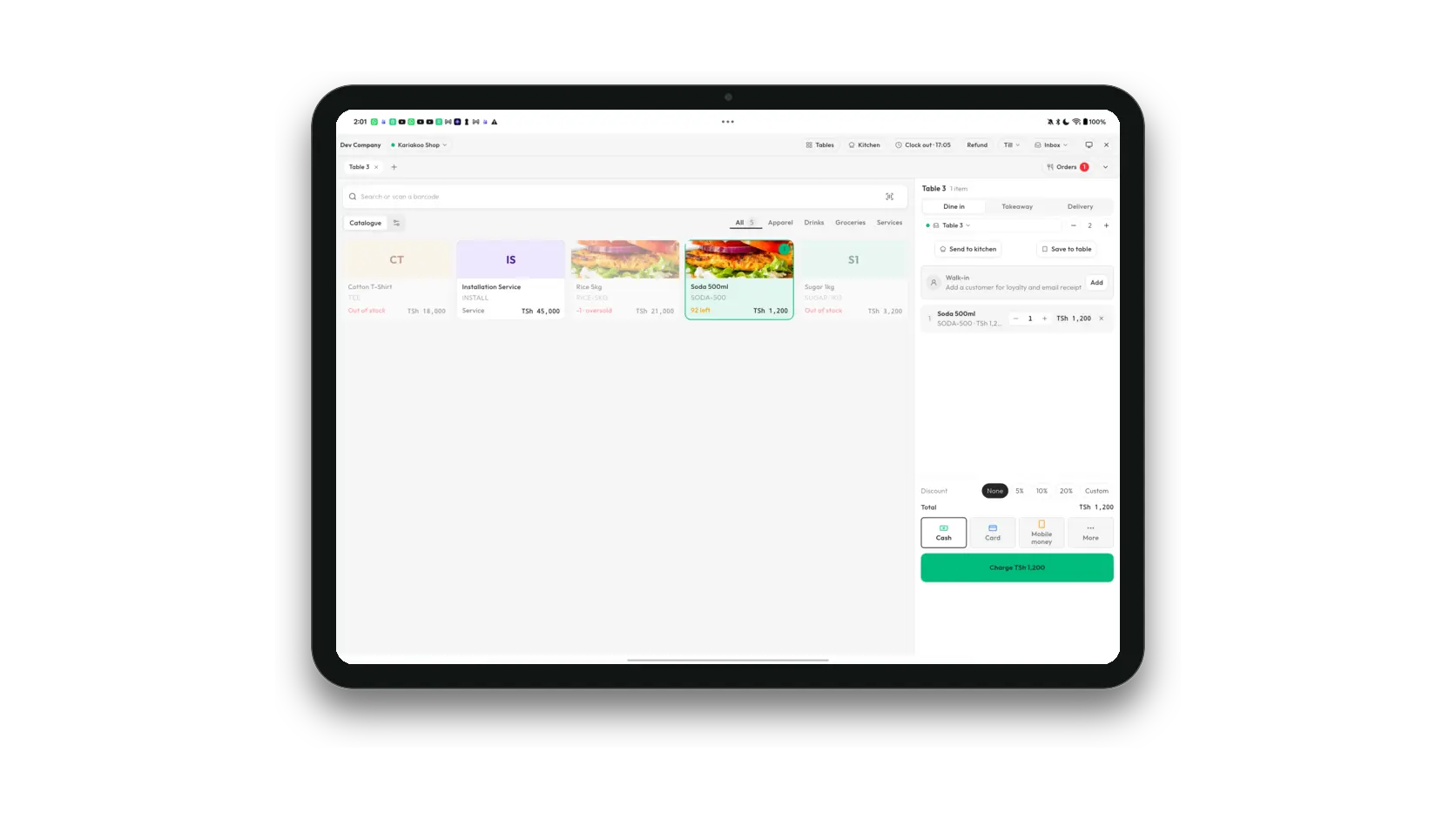
With Restaurant mode on, the point of sale carries the service decision: dine in, takeaway, or delivery. A dine-in sale picks a table and a guest count; a takeaway or delivery keeps the details it needs to reach the customer.
- Send what has been rung up to the kitchen, and see on each line what has already gone
- Read the pass without leaving the sale: ready, cooking, and queued dishes, with a dish started, marked ready, or served from the till
- Keep several orders open at once and bring any of them back to the till
- Charge from the same screen; unsent dishes go to the kitchen first, so a counter sale paid up front still reaches the pass
An order board instead of a ticket list
Open orders shows tables and counter orders together, sorted by table, each with its channel, guests, what is still to send, and where the kitchen has got to. Split a bill between people, merge two that belong together, add a note, or void one with the reason recorded and the kitchen told.
The kitchen sees what was ordered
Dishes arrive on the Kitchen Display as they are sent, named as the waiter ordered them, with the table and the minutes waited. The pass moves each one from new to preparing to ready to served, and a dish cancelled says why. Where a kitchen printer is configured, the ticket prints at the same time.
Reservations hold the table
Book a party by name, phone, time, and head count, with or without a table chosen. From an hour before the booking until its time is up, the table is held: the planner shows "Reserved 19:30 · Asha" and the till's table picker says the same rather than calling it free. When the party arrives, seating the booking opens their bill at the table, already carrying their name and guest count. A cancellation or a no-show is recorded, and the table goes back to the floor.
The dining room and the shop counter write to the same books, so the day reconciles once.